Information for System Administrators: defining gender identities
From EMu 6.2 onwards it is possible to define gender identities.
The Gender field is a drop list with an associated Lookup List in which any gender can be specified.
A Lookup List can be specified to be ReadOnly (users can only select a value in the list) or ReadWrite (users can add new values to the list), etc. If a list is set to ReadOnly, suitably authorized users can specify gender values in the Lookup List module.
See Working with Lookup Lists for details.
The Parties module holds information about individuals and organizations with some involvement with the activities of the museum and its collection. Parties can be artists, authors, manufacturers, donors, collectors, researchers, staff, conservators, carriers, exhibition organizers, insurers, lending and borrowing institutions, and so on.
Information that can be recorded includes name, various addresses and phone numbers, email and web addresses, biographical and historic information. The Parties module provides support for synonymy of names (i.e. one identity known by several names) and is compatible with the Getty Union List of Artists' Names.
A Party may be an individual, a group or department within an institution; or an external individual, group or organization.
For example
- Source or vendor of an object
- Organizer of an event or exhibition
- Borrower or lender of an object
- Author, contributor or publisher of an object
- Owner or maker of an object
- Photographer who created an image
- Artist who created an illustration or work
- Copyright manager
- Person who verified taxonomic details for an object
- Site owner
- Recipient for an object in a collection event
- Participant in a collection event
- Contact person responsible for the internal or external movement of an object
- Object packer, transporter, movement supervisor, or requester
- Person or organization involved in the conservation and maintenance of an object
- Person who supervises the conservation of an object
- Insurer and / or indemnifier of an object
- Author of a narrative
- Person responsible for the condition checks of an object
- Valuer of an object
- Donor of an object
A record is created in the Parties module for each party, recording personal, contact, address and role details.
As a Party may be connected with many objects and events within an institution, it is possible that a single Party record is linked (attached) to many records in multiple modules. Linking records in this manner saves time and effort as information about a Party need only be entered once in EMu and if any details change, only one record - the Parties record - needs to be updated.
Each Party in the Parties module is assigned a Party Type:
Party Types
The Party Type field is a tab switching Dynamic adjustment of the tabs displayed in a module based on a user's choices (e.g. different sets of tabs display when "Person" or "Organisation" are selected from the Party Type drop list in the Parties module). field, which means that the fields and tabs that display in the Parties module will vary depending on which Party Type is selected.
Common Party Types include:
Person / Individual
A Person (alternatively Individual) Party Type is used to record details about an individual person with a connection to your institution or to an object in your collection.
A person assigned a Person Party Type can also be associated with an organization but it is this individual who has the connection with the institution rather than their role or position within an organization. In this case you create a Person Party Type and record details about their organization on the Organization tab. (See also Position parties.)
If the relationship with the Organization were the primary relationship, you would create an Organization Party Type.
The main tabs you would use to record details for a Person Party Type are:
|
Tab |
Description |
|---|---|
|
Person |
The person's name, gender and language. |
|
Organization |
Details about the organization to which the person belongs, including their position within the structure of the organization. |
|
Address |
The person's (or their organization's) postal and physical address. |
|
Roles |
Roles that the person plays and any areas of specialty. |
|
Associations |
People, groups, organizations associated with the person. |
|
Biography |
Biographical details about the person, e.g. date of birth, period of activity, and heritage. |
|
Synonymy |
Links to other Parties records that are synonymous with the person. |
Position
A Position Party Type is used to record a specific position within an organization or department rather than a specific individual.
For example, the Collection Curator within the Fine Arts department can be assigned a Position Parties record. When a new acquisition or object is recorded a link can be made to this Position Parties record rather than to a Person Parties record (which would record the personal details of the current collection curator). This means that the link will still be correct even if the current curator leaves this position and a new collection curator is appointed.
Note: It is preferable to check out object loans to a Position rather than to a Person.
The main tabs you would use to record details for a Position Party Type are:
|
Tab |
Description |
|---|---|
|
Person |
The name, gender and language of the individual currently holding the position. |
|
Organization |
Details about the organization in which the position operates. |
|
Address |
The organization's postal and physical address. |
|
Synonymy |
Links to other Parties records that are synonymous with the position. |
Organization
An Organization Party Type is used to record details of an organization rather than an individual.
The main tabs you would use to record details for an Organization Party Type are:
|
Tab |
Description |
|---|---|
|
Organization |
The organization's name(s) and structure. |
|
Address |
The organization's postal and physical address. |
|
Roles |
Roles that the organization plays and areas of specialty. |
|
Associations |
People, groups, organizations associated with the organization. |
|
History |
Historical details about the organization, including period of activity. |
|
Synonymy |
Links to other Parties records that are synonymous with the organization. |
Collaboration
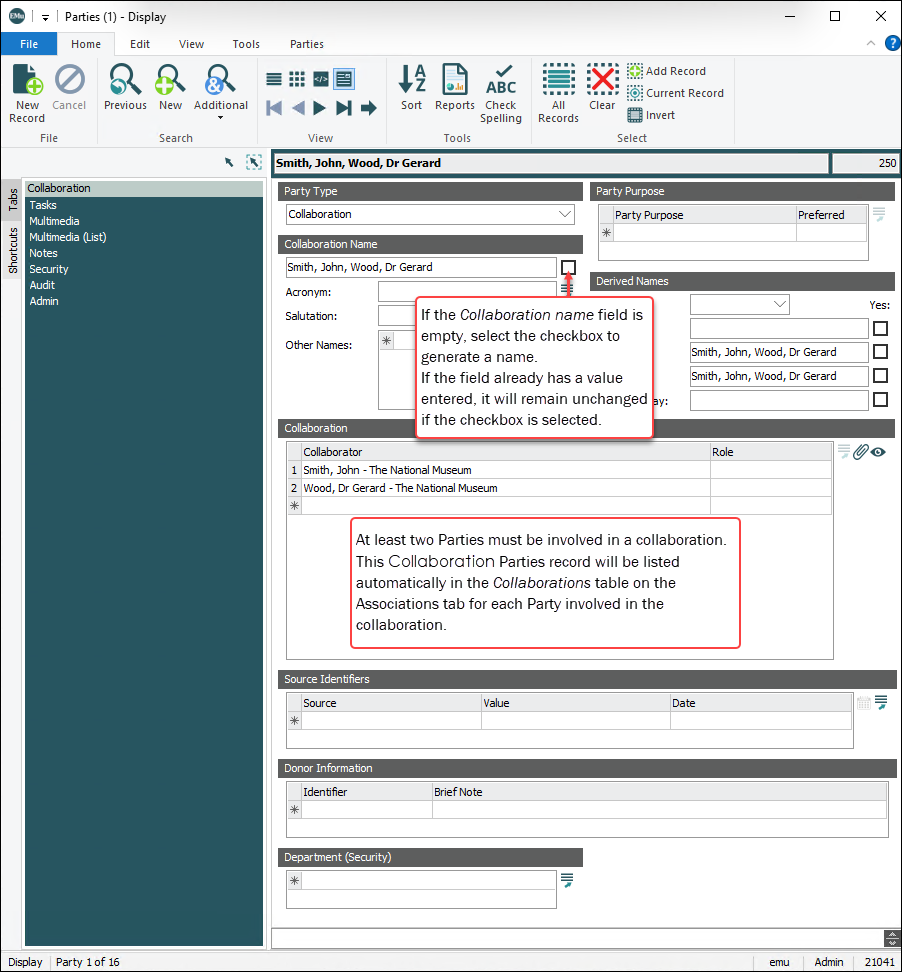
A Collaboration Party Type is used to group two or more Parties that work together with a common purpose or task.
Note: Before a Collaboration record can be created, all members must first have individual Parties records in the Parties module.
The advantage of using a Collaboration Parties record is evident when a group of Parties regularly collaborate. If it is often necessary to link to each of the Parties records, create a single Collaboration Parties record and link to that rather than to the individual Parties records.
For example, a group of experts may work together to evaluate objects or describe a taxon. It is more efficient to group these individuals as a Collaboration Party Type and to link each Catalogue record to the one Collaboration Parties record, rather than linking each Catalogue record to multiple Parties records.
The main tab you would use to record details for a Collaboration Party Type is:
|
Tab |
Description |
|---|---|
|
Collaboration |
Names of people and / or organizations who have worked together and their respective roles in the collaboration. |
How to create a Collaboration Parties record
The advantage of using a Collaboration Parties record is evident when a group of Parties regularly collaborate. If it is often necessary to link to each of the Parties records, create a single Collaboration Parties record and link to that rather than linking to the individual Parties records.
- Create a Parties record of type Person for each person that is to become part of the collaboration.
- Add a new record in the Parties module and select the Collaboration Party type.
- Attach the Person Parties records for each collaborator to the Collaborator: (Collaboration) field.
Select the next row (with asterisk) to attach another Parties record.
- If required, type a role in the Role: (Collaboration) field, indicating the role played by that person in the collaboration.
- Save the record.
ULAN (for Art Galleries with Getty ULAN)
The Union List of Artists Names (ULAN) database is a structured list of artist names and biographies produced by the Getty Research Institute in Los Angeles, USA. Its web address is:
http://www.getty.edu/research/conducting_research/vocabularies/ulan/about.html
The ULAN database currently comprises more than 100,000 individual artists (creators, performance artists, decorative artists) and architects. The Getty Institute holds the copyright to the ULAN database and an institution must obtain a license before ULAN data can be used in EMu.
ULAN records can be imported into EMu by Axiell developers at the direction of an institution whenever an update of the database is released.
The main tabs used to record details for a ULAN Party Type are:
|
Tab |
Description |
|---|---|
|
ULAN 1 |
Includes artists name, variant name, biography and source. This tab is set to read-only. |
|
ULAN 2 |
Relationships and descriptive notes. This tab is set to read-only. |
|
Roles |
Roles that the person / organization plays and any areas of speciality. |
|
Biography |
Biographical details about a person, e.g. date of birth, period of activity and heritage. |
Other Party Types include:
- IH Person (for Botanic Gardens with the NYBG Index Herbariorum)
- IH Herbarium (for Botanic Gardens with the NYBG Index Herbariorum)
-
Family or Whānau1
-
Cultural Group, Culture, or Group2
Note: Institutions can define other Party Types that meet their requirements.
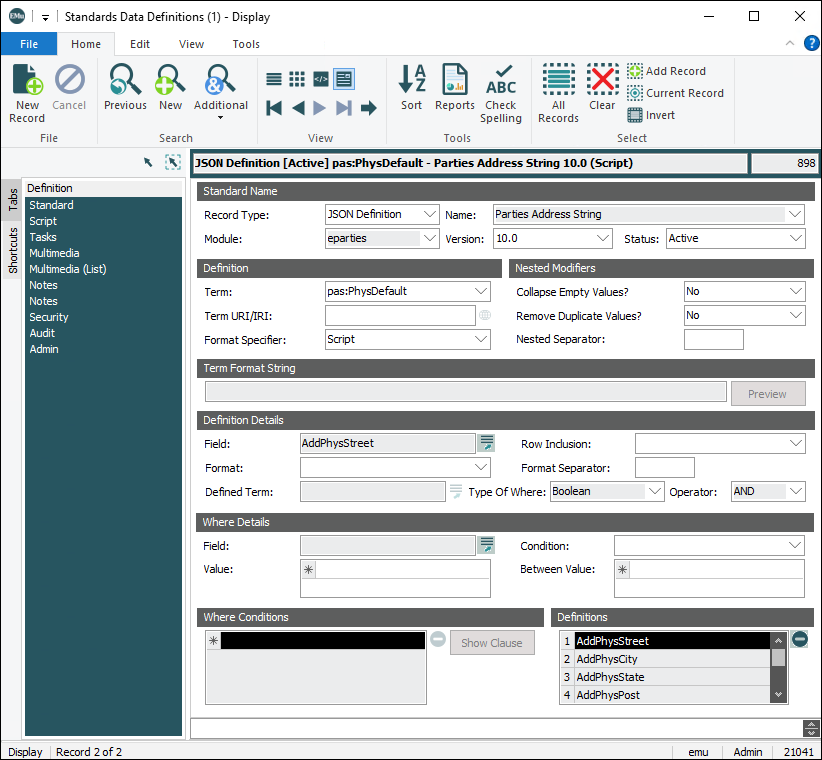
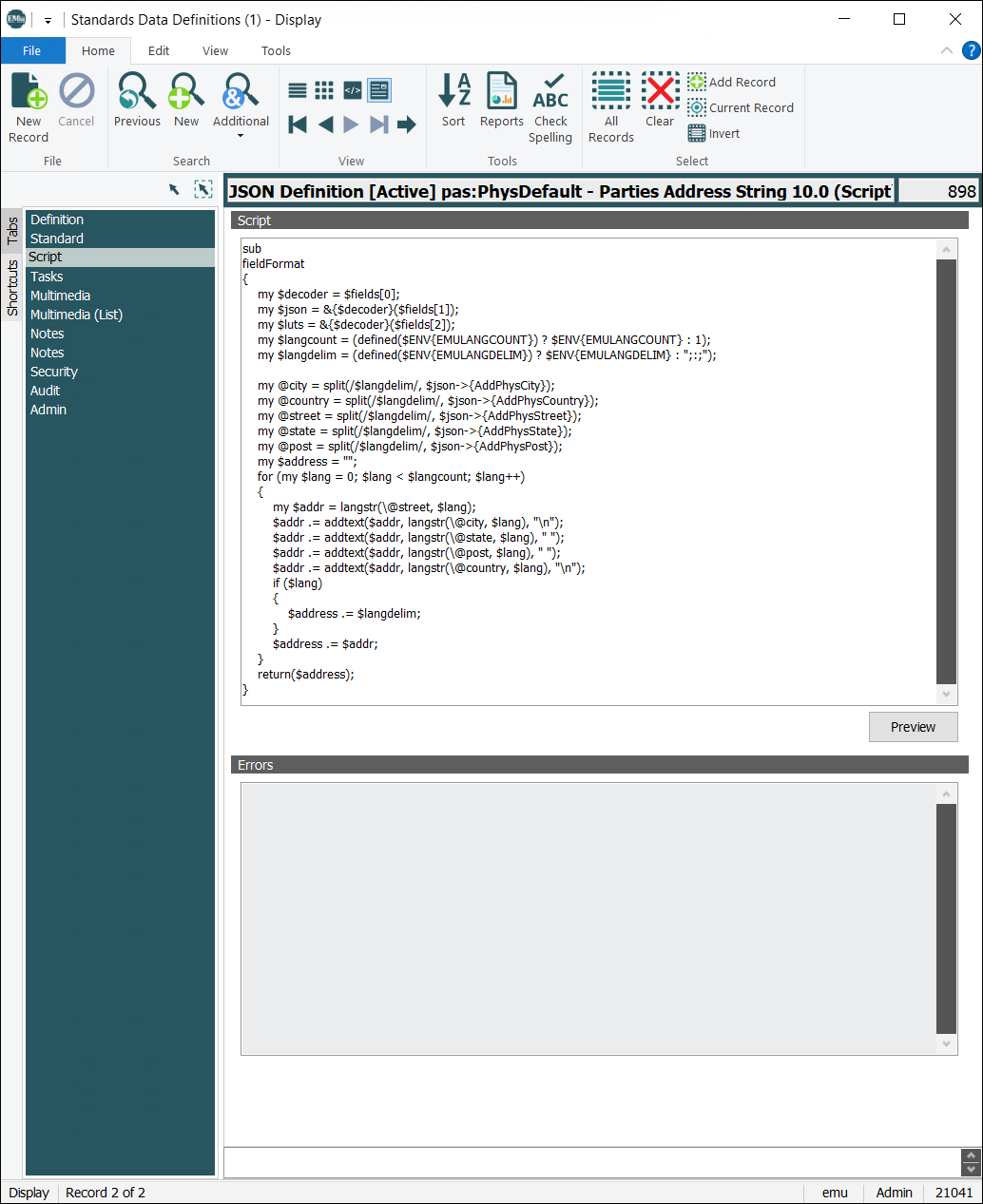
EMu 10 saw the introduction of an enhanced version of the Parties module, with new Party Types, additional and changed tabs and, in some cases, new functionality. Several Registry entries have been introduced that enable institutions to use Standards module definitions rather than EMu's default method for generation of derived names (on the Persons tab), and the format of address strings (on the Address tab). Tab size was increased to allow more information to be included on a tab.
Institutions upgrading to EMu 10 have the option to install the enhanced Parties module or they can continue to use the prior version of the module. All new implementations of EMu will have the enhanced version of the Parties module.
The EMu 10 Parties module
The table below includes details about key changes to tabs introduced with EMu 10, and functionality available with the EMu 10 Parties module:
|
Tab |
Description |
||||||||||||||||||||||||||||||
|---|---|---|---|---|---|---|---|---|---|---|---|---|---|---|---|---|---|---|---|---|---|---|---|---|---|---|---|---|---|---|---|
|
Person
|
Holds personal details, including:
Person tab
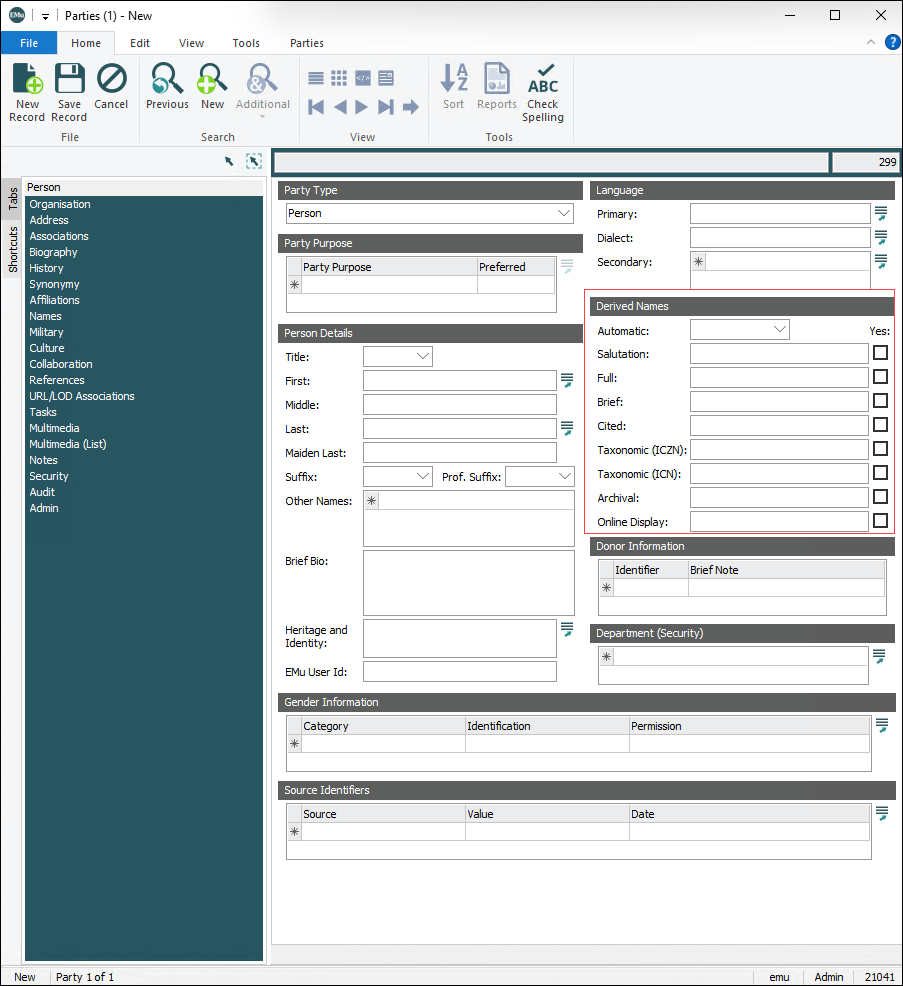
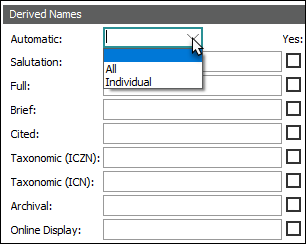
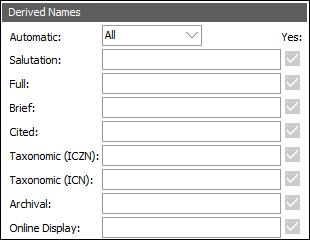
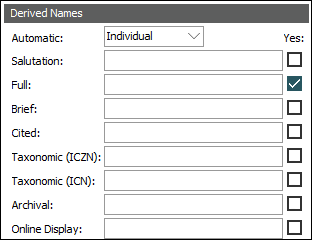
The Derived Names group of fields contains nine settings for deriving names:
|
||||||||||||||||||||||||||||||
|
Organization |
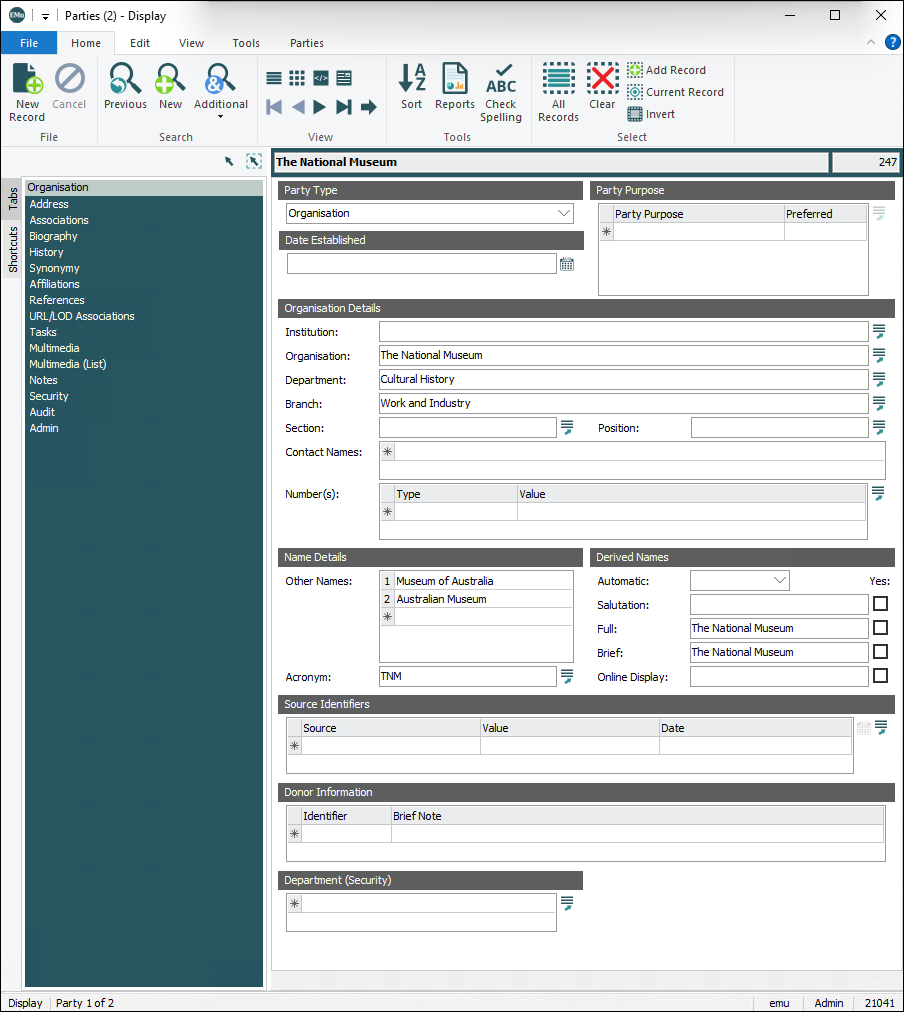
Details about an organization, including its structure and other names. Organization tab
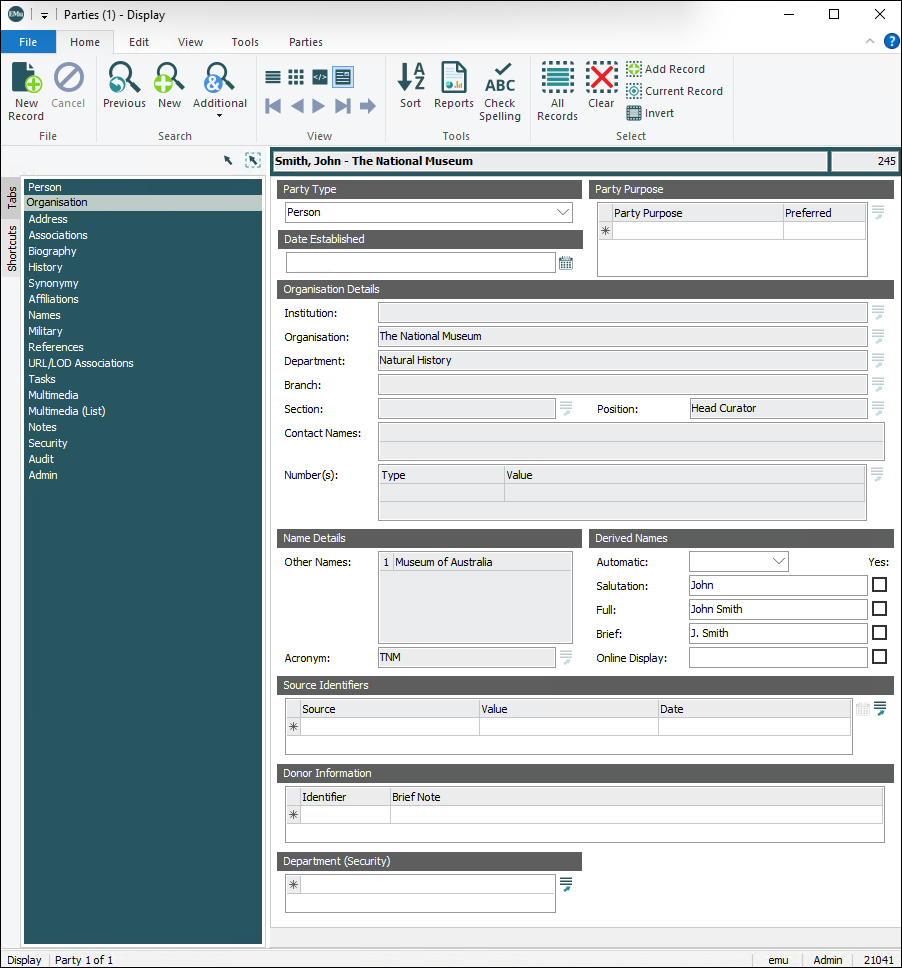
When Party Type = Person or Position, the Organization Details and Name Details groups of fields on the Organization tab are read-only:
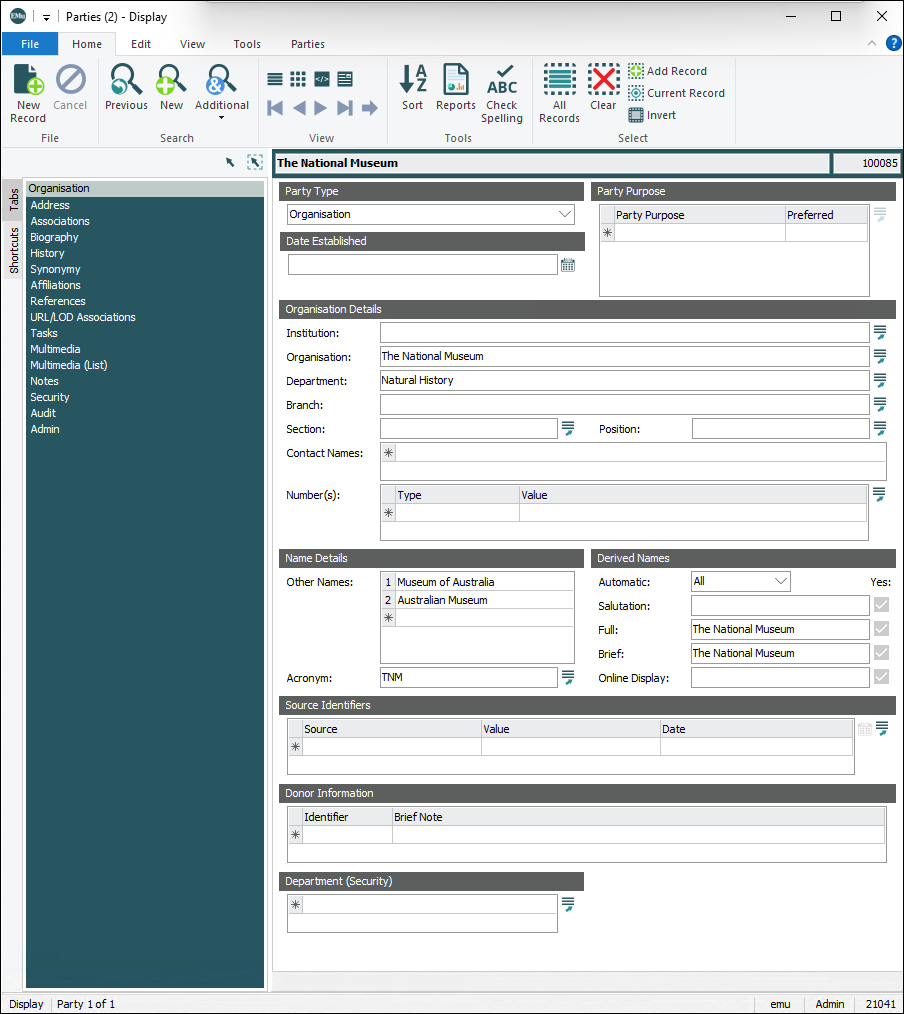
The information in these two groups of fields is maintained in another Parties record (with a Party Type of Organization) linked to Organization: (Affiliated With) on the Affiliations tab:
When Current: (Affiliated With) = Yes on the Affiliations tab, address details from the linked Organization record are copied to the Physical Address fields on the Address tab. Tip: If the organization's address details are updated in the linked Organization record, it is possible to update the Physical Address fields by selecting the Current: (Affiliated With) No radio button and then selecting Yes again. Organization Details fields are a Lookup List hierarchy
The Institution>Organization>Department>Branch>Section fields in Organization Details are a Lookup List hierarchy:
To capture the organizational hierarchy in which a person fits it may be necessary to have a Parties record for each level of the hierarchy. For example, John Smith is in the Natural History Department of The National Museum and we have linked Organization: (Affiliated With) on the Affiliations tab to this record:
If John Smith was a member of the Work and Industry branch in the Cultural History Department, we would instead link to a Parties record with these details:
|
||||||||||||||||||||||||||||||
|
Associations |
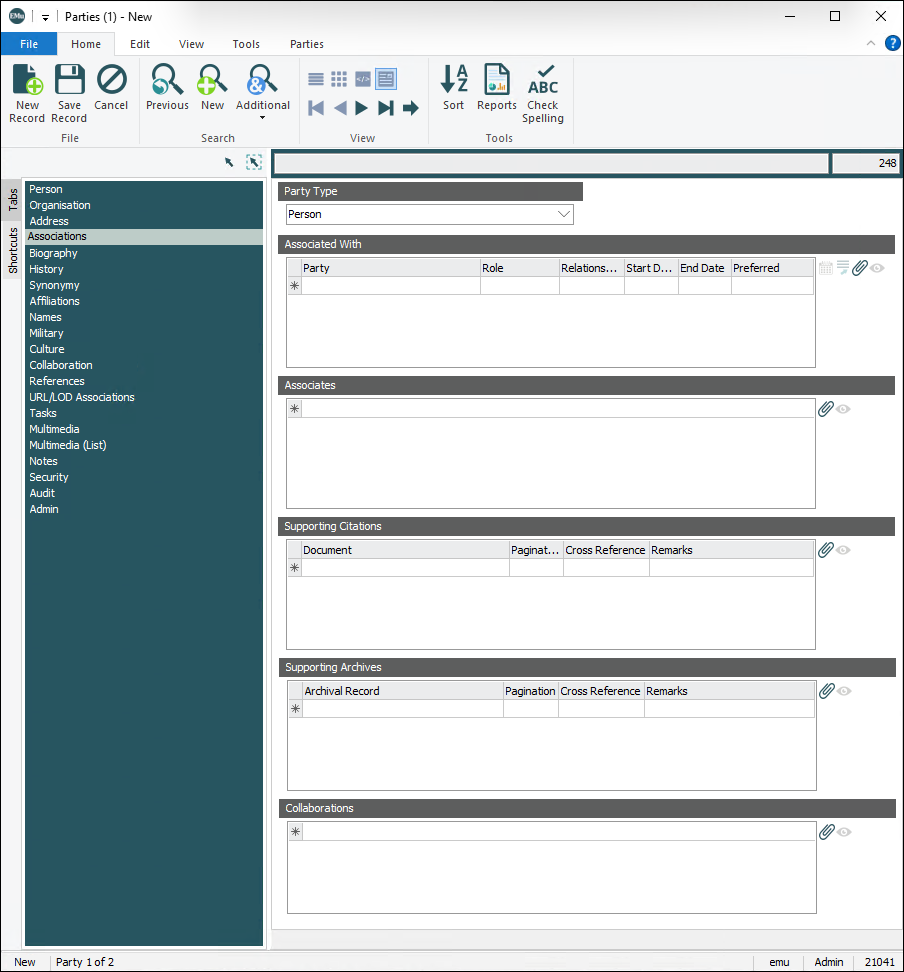
The Associations tab is used to document people, groups, organization, etc. associated with the current party. Associations tab
|
||||||||||||||||||||||||||||||
|
Collaboration |
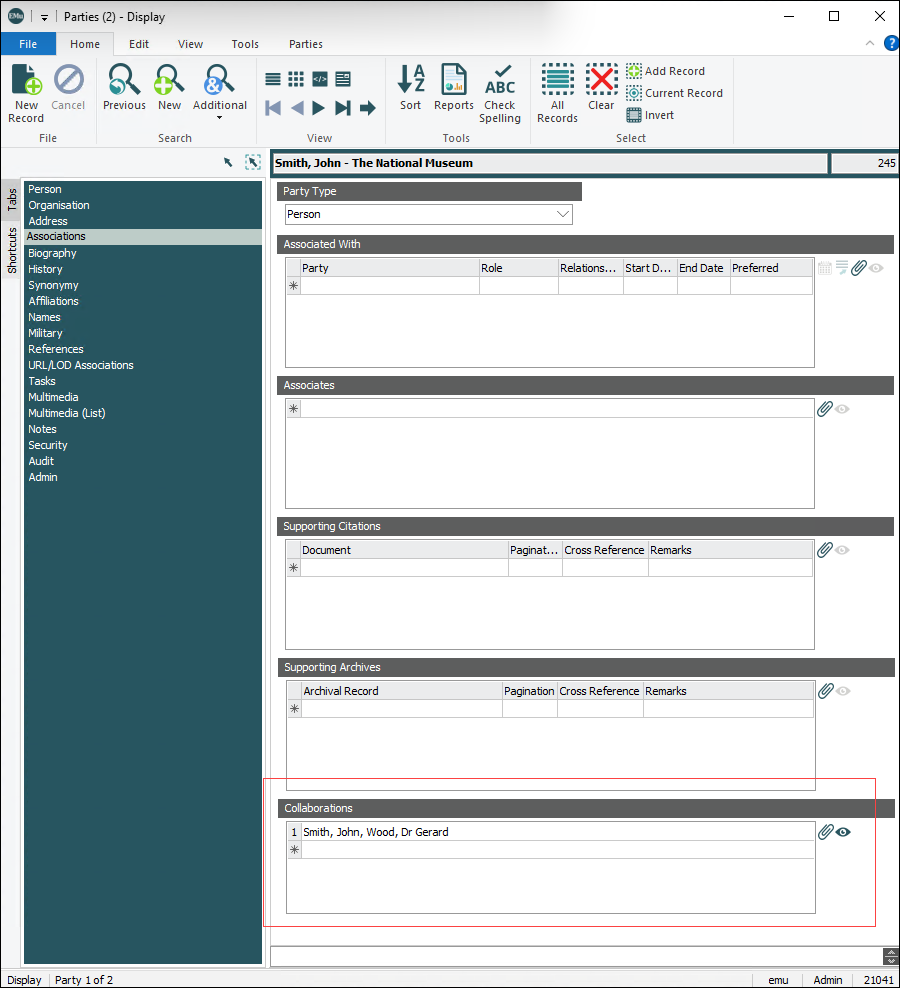
When two or more parties collaborate in some way, the relationship can be documented in a Parties record with a Party Type of Collaboration. Collaboration tab
A Collaboration tab is available when Party Type = Collaboration:
|
||||||||||||||||||||||||||||||
|
Address |
Address of the person and / or organization. Address tab
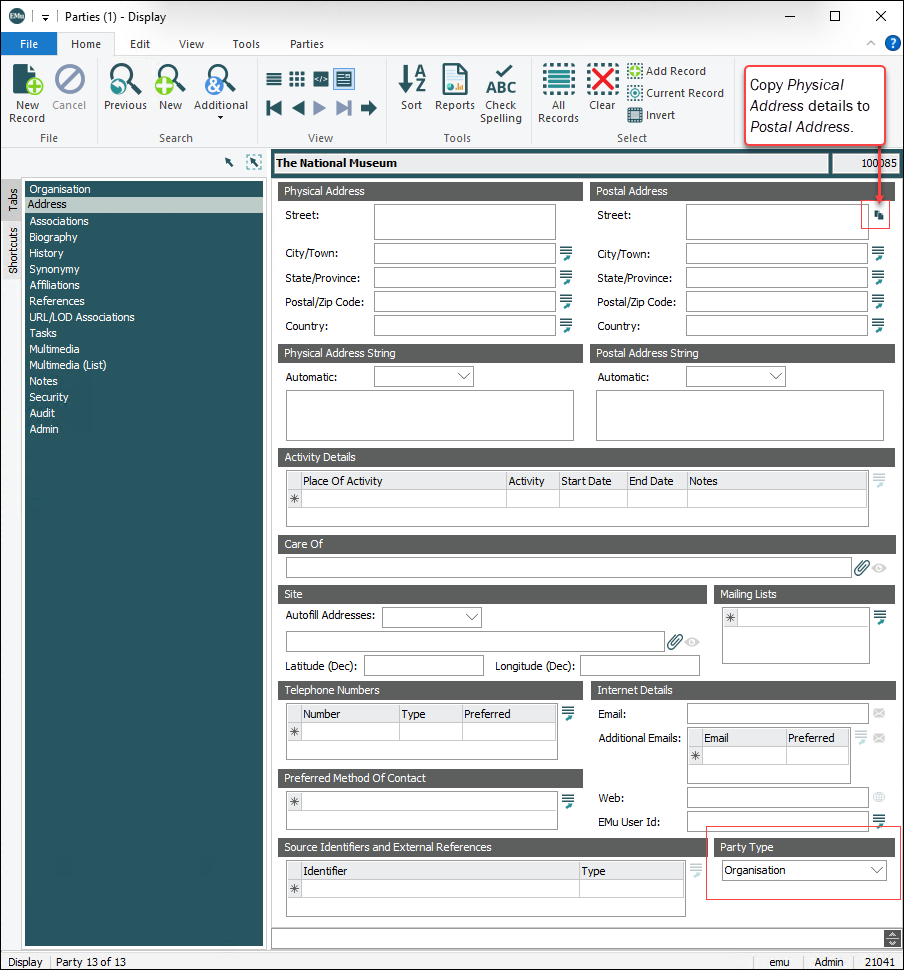
Note: In order to accommodate other fields on the Address tab the Party Type field is located in the bottom right corner.
|
||||||||||||||||||||||||||||||
|
References |
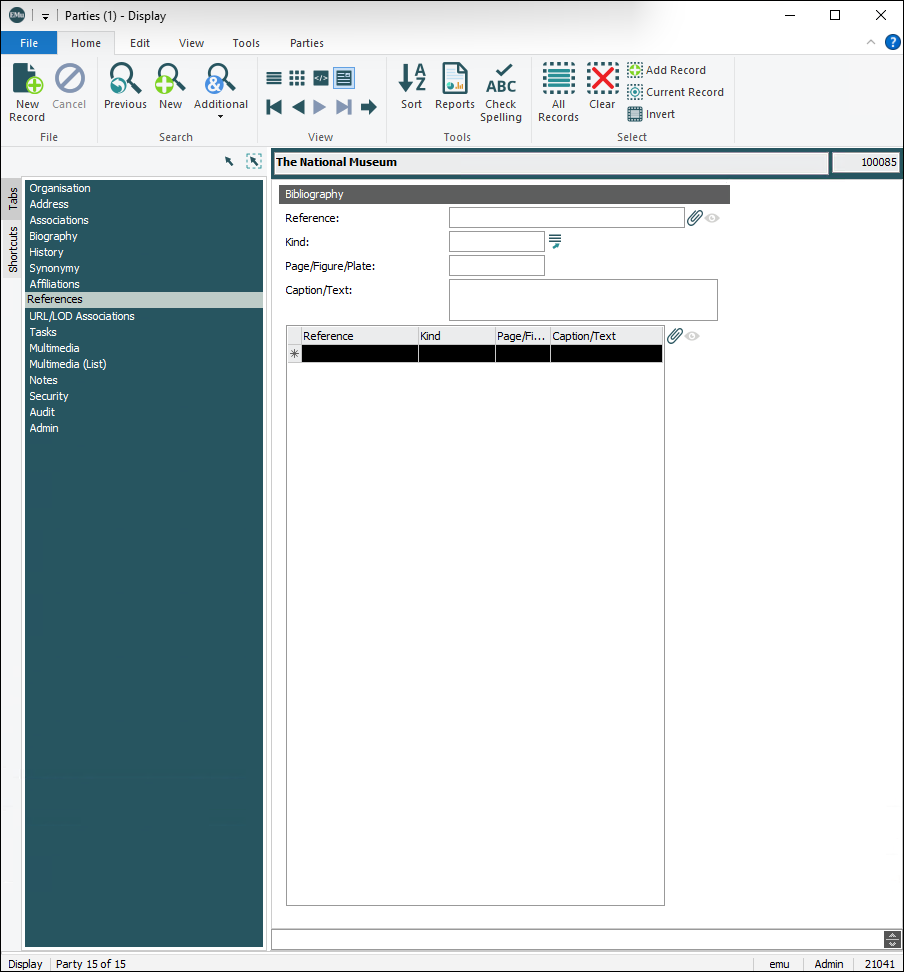
The References tab is used to document any published references about the Party.
|
||||||||||||||||||||||||||||||
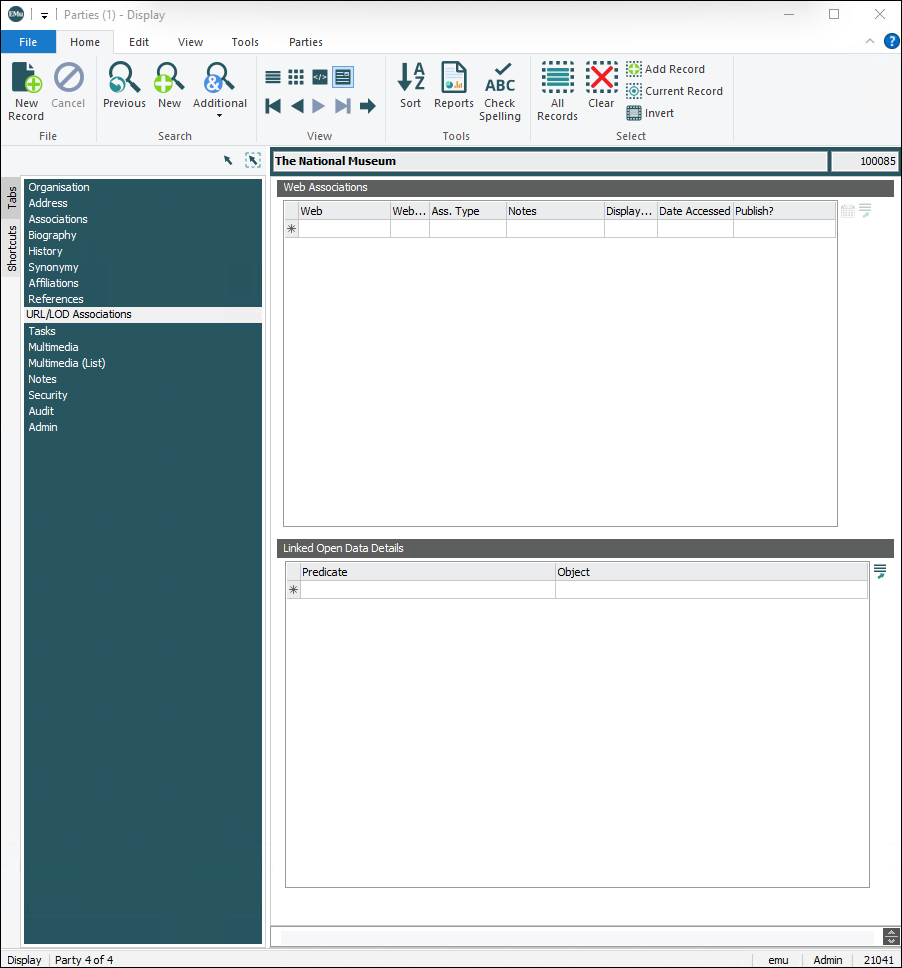
| URL/LOD Associations |
The URL/LOD Associations tab displays when Party Type is one of the following:
It is used to document web associations and linked open data about the Party. URL links associated with the Party include LOD (Linked Open Data) references such as Wikidata:
|
||||||||||||||||||||||||||||||
|
Biography |
Holds a person's biographical details, including:
|
||||||||||||||||||||||||||||||
|
Affiliations |
Documents any organizations with which the current Party is associated or affiliated. Affiliations tab
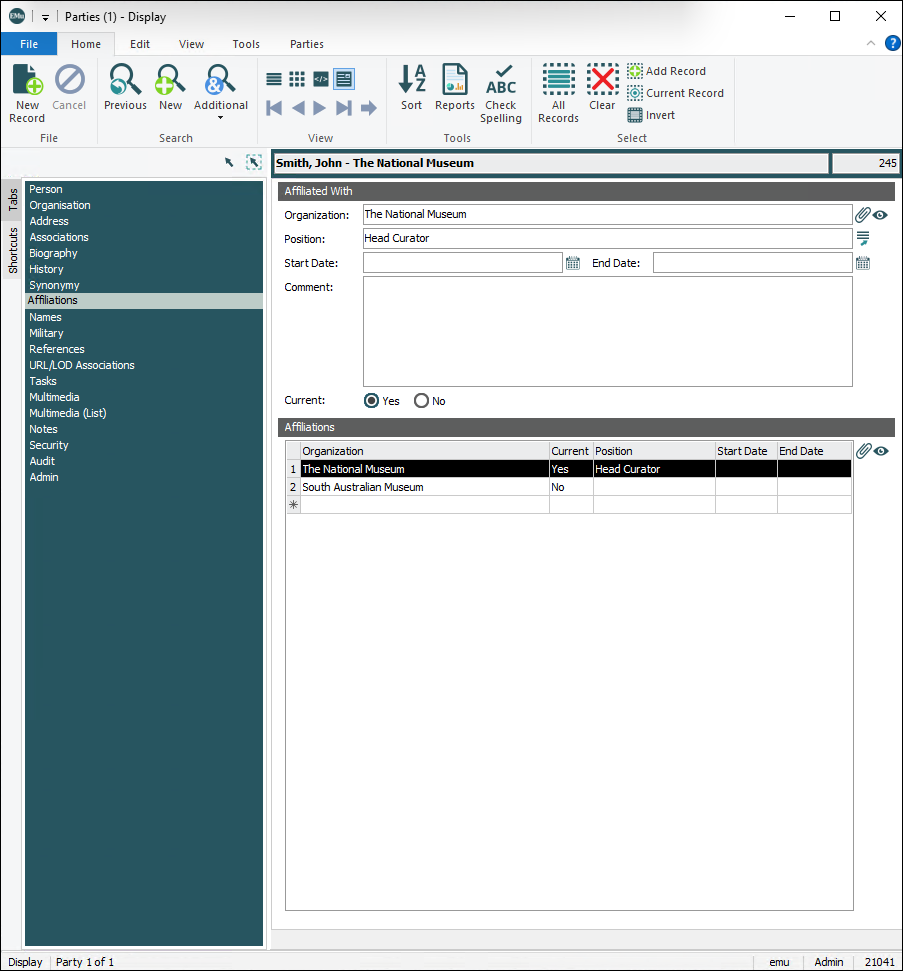
When Current: (Affiliated With) = Yes, address details from the linked Organization record are copied to the Physical Address fields on the Address tab. When Party Type is set to Person or Position, the Organization Details and Name Details groups of fields are read-only:
The information in these two groups of fields is maintained in another Parties record (with a Party Type of Organization) linked to Organization: (Affiliated With) on the Affiliations tab. More details about how this tab interacts with the Organisation tab are provide here. |
||||||||||||||||||||||||||||||
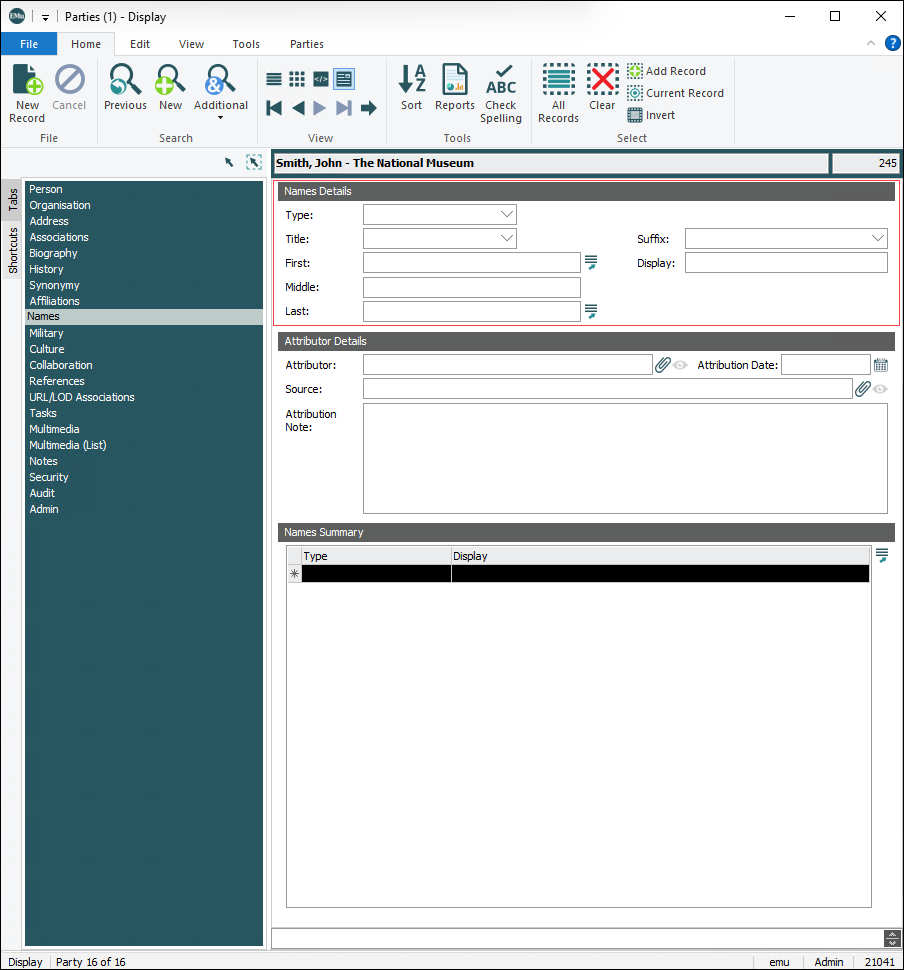
|
Documents different names associated with the Party. It displays when Party Type is Person or Individual:
When Type: (Name Details) = Primary, any change to a field in the Name Details group of fields is automatically made to the equivalent field on the Person tab, and vice versa. |
|||||||||||||||||||||||||||||||
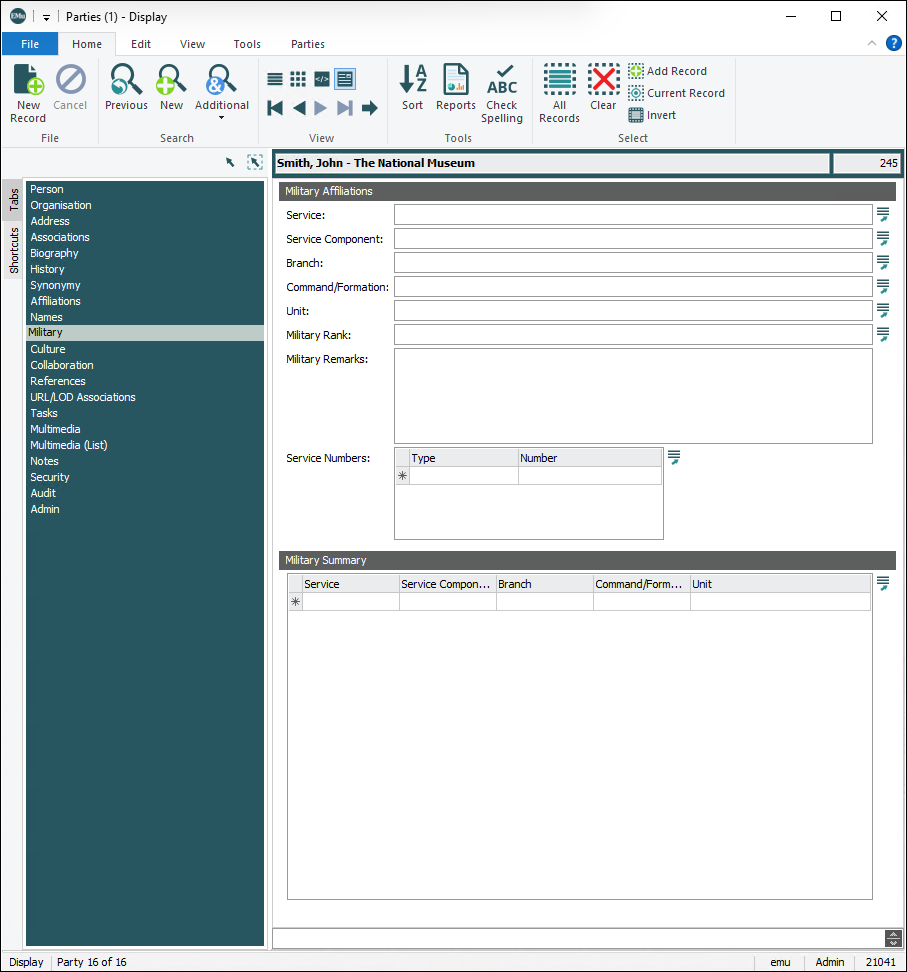
|
Documents military information about a person. It displays when Party Type is either Person or Individual:
|
|||||||||||||||||||||||||||||||
|
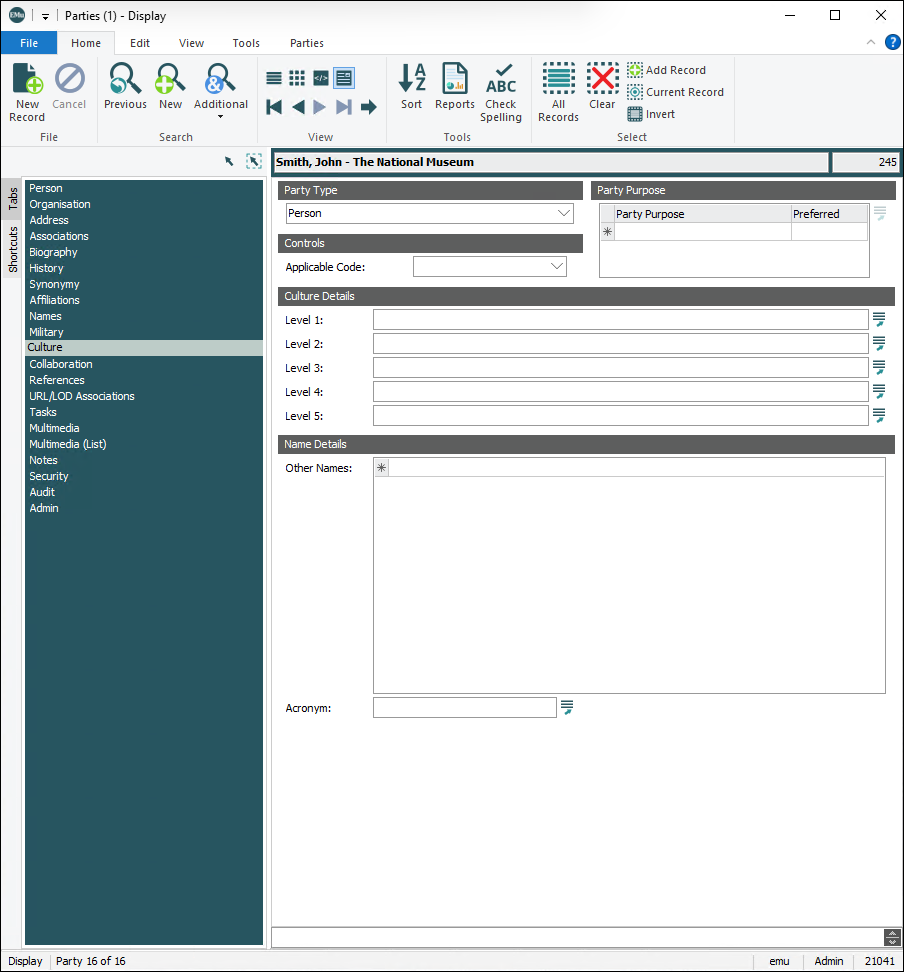
The Culture tab displays when Party Type is one of the following:
|
|||||||||||||||||||||||||||||||
|
Synonymy |
Links to other Parties records that are synonymous with this Parties record. |
||||||||||||||||||||||||||||||
|
Notes |
See Notes tab for details. |
||||||||||||||||||||||||||||||
|
Multimedia |
See Multimedia tab for details. |
||||||||||||||||||||||||||||||
|
Security |
See Security tab for details. |
||||||||||||||||||||||||||||||
|
Audit |
See Audit tab for details. |
||||||||||||||||||||||||||||||
|
Admin |
See Admin tab for details. |
||||||||||||||||||||||||||||||


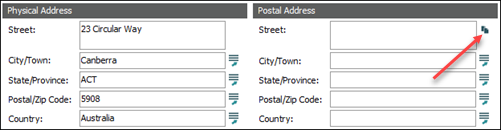
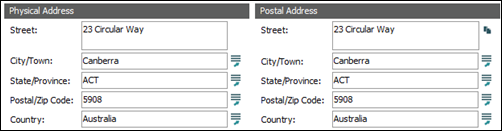


 Typical Parties tabs and their purpose in the old Parties module
Note
Typical Parties tabs and their purpose in the old Parties module
Note
Note: As every institution is able to customize EMu to suit its requirements, there are many different versions of EMu. Even where institutions have the same modules, the tabs included in each instance of the module may be different; and even where institutions have tabs with the same name, the fields on those tabs may be different. For that reason this section only provides a general description of modules.
|
Tab |
Description |
|---|---|
|
Person
|
Holds personal details, including:
|
|
Organization |
Details about an organization, including its structure and other names. |
|
Address |
Address of the person and / or organization. |
|
Roles |
Lists roles that the person / organization plays and areas of speciality. |
|
Associations |
Lists people, groups, organization, etc. associated with the this Parties record. |
|
Biography |
Holds a person's biographical details, including:
|
|
Synonymy |
Links to other Parties records that are synonymous with this Parties record. |
|
Notes |
See Notes tab for details. |
|
Multimedia |
See Multimedia tab for details. |
|
Security |
See Security tab for details. |
|
Audit |
See Audit tab for details. |
|
Admin |
See Admin tab for details. |
How to add a Party
To create a new Party:
- Add a new record in the Parties module.
- Select a Party Type from the Party Type drop list.
The tab display will change according to the Party Type selected.
- Complete the fields in the module with all known data.
If you are unsure of a value to add to a field, use the Lookup List Also known as a Pick List or Authority List, a Lookup List is a list of the values that have either been used or are suggested for use in a field. Rather than keying a value into the field, it is possible to pick a value from the Lookup List; the selected value will populate the field.  (
(F12) to view a list of available values. - Save the record.